


Intel® I210T1
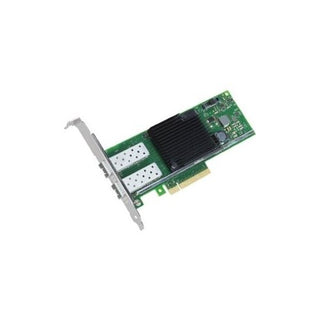
The Intel® I210T1 is a high-performance network interface card (NIC) designed to deliver reliable and efficient connectivity for desktops and workstations. Engineered by Intel, this PCIe card supports data transfer speeds of up to 1Gbps, making it ideal for demanding LAN environments where stable and fast network access is essential.With its single RJ45 port, the Intel® I210T1 ensures seamless integration into existing network infrastructures. Its bulk OEM packaging is perfect for system integrators and IT professionals seeking a cost-effective solution for large-scale deployments.Payment options






Only 16 left in stock — order soon
- Fast Delivery Worldwide
- 14 Days Returns Hassle-free
- Secure Payment Encrypted
- 100% Authentic Verified brand
Try it with
Buy frequently bought together items
Product Overview
The Intel® I210T1 is a high-performance network interface card (NIC) designed to deliver reliable and efficient connectivity for desktops and workstations. Engineered by Intel, this PCIe card supports data transfer speeds of up to 1Gbps, making it ideal for demanding LAN environments where stable and fast network access is essential.
With its single RJ45 port, the Intel® I210T1 ensures seamless integration into existing network infrastructures. Its bulk OEM packaging is perfect for system integrators and IT professionals seeking a cost-effective solution for large-scale deployments.
Specifications
Interface: PCI Express (PCIe)
Port: 1 x RJ45 (Ethernet)
Data Transfer Rate: Up to 1Gbps
Packaging: Bulk OEM
Highlights
- Supports high-speed 1Gbps data transfer for fast and reliable network performance.
- PCIe interface ensures compatibility with a wide range of desktops and workstations.
- Single RJ45 port allows easy connection to standard Ethernet networks.
- Bulk OEM packaging is ideal for IT professionals and system integrators.
- Engineered by Intel for superior quality and long-term reliability.
How to Use
-
1
Step 1
Power off your computer and unplug it from the power source.
-
2
Step 2
Open the computer case and locate an available PCIe slot.
-
3
Step 3
Insert the Intel® I210T1 NIC firmly into the PCIe slot.
-
4
Step 4
Secure the card with the appropriate screw and close the case.
-
5
Step 5
Reconnect the power and boot up your computer.
-
6
Step 6
Install the necessary drivers from Intel's website if required.
-
7
Step 7
Connect your Ethernet cable to the RJ45 port and configure your network settings as needed.
-
Wide Selection
Discover tech essentials in every category — cables, networking, power, racks and accessories.
-
Authentic Brands
Shop with confidence — 100% genuine products from trusted tech brands.
-
Quality Assured
Carefully selected products with quality and reliability in mind.
-
Fast Delivery
Get your tech essentials delivered quickly, with no extra shipping fees.


