


Ergotron LX Notebook Tray
The Ergotron LX Notebook Tray is a versatile mounting solution designed to enhance your workspace ergonomics. Crafted from durable metal and finished in sleek black, this tray is engineered to securely hold your notebook computer, allowing you to position it exactly where you need it for optimal comfort and productivity.Compatible with most LCD arms, the Ergotron LX Notebook Tray features an adjustable, open-sided mounting plate that accommodates virtually all notebook sizes. Whether you use your laptop with or without a docking station, this tray offers seamless integration and easy attachment, making it an ideal choice for both home and office environments.Options de paiement






Plus que 5 en stock — commandez vite
- Fast Delivery Worldwide
- Retours sous 14 jours Hassle-free
- Secure Payment Encrypted
- 100% Authentic Verified brand
Essayez avec
Acheter les articles souvent achetés ensemble
Présentation du produit
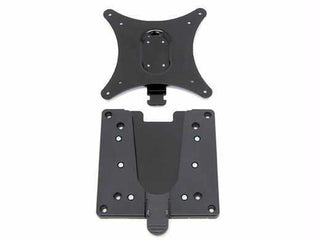
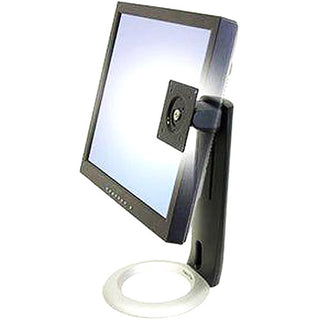
The Ergotron LX Notebook Tray is a versatile mounting solution designed to enhance your workspace ergonomics. Crafted from durable metal and finished in sleek black, this tray is engineered to securely hold your notebook computer, allowing you to position it exactly where you need it for optimal comfort and productivity.
Compatible with most LCD arms, the Ergotron LX Notebook Tray features an adjustable, open-sided mounting plate that accommodates virtually all notebook sizes. Whether you use your laptop with or without a docking station, this tray offers seamless integration and easy attachment, making it an ideal choice for both home and office environments.
Specifications
Product Colour: Black
Material: Metal
Maximum Weight Capacity: 5.4 kg
Product Weight: 1.32 kg
Compatible Mounting: VESA 75mm
Points forts
- Creates an ergonomic workstation for improved comfort and productivity
- Adjustable, open-sided mounting plate fits nearly all notebook sizes
- Compatible with or without docking stations for versatile use
- Easy attachment to standard VESA 75mm mounting brackets
- Durable metal construction ensures long-lasting performance
Mode d’emploi
-
1
Étape 1
Attach the tray to a compatible LCD arm using the standard VESA 75mm mounting bracket.
-
2
Étape 2
Place your notebook on the adjustable, open-sided mounting plate.
-
3
Étape 3
Adjust the tray position and angle for optimal ergonomic comfort.
-
4
Étape 4
Secure your notebook as needed and begin working in your new ergonomic setup.
-
Wide Selection
Discover tech essentials in every category — cables, networking, power, racks and accessories.
-
Authentic Brands
Shop with confidence — 100% genuine products from trusted tech brands.
-
Quality Assured
Carefully selected products with quality and reliability in mind.
-
Fast Delivery
Get your tech essentials delivered quickly, with no extra shipping fees.


