


APC AR8442 APC NetShelter Cable Management, Vertical Cable Manager
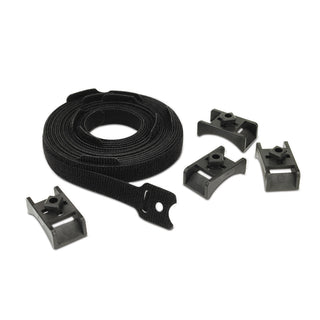
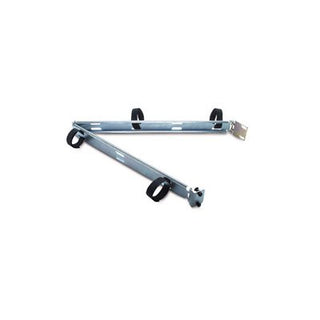
The APC AR8442 APC NetShelter Cable Management, Vertical Cable Manager is a professional-grade solution designed to streamline cable organization within server racks and IT enclosures. Engineered by APC, this vertical cable manager efficiently occupies one bay of the rear Zero-U channel, making it ideal for optimizing space and maintaining a tidy, accessible cabling environment.Featuring eight robust cable rings, the APC AR8442 ensures that network and power cables are securely routed and neatly managed. Its durable construction and sleek black finish seamlessly integrate with NetShelter racks, supporting both performance and aesthetics in data centers and IT rooms.Payment options






Only 1 left in stock — order soon
- Fast Delivery Worldwide
- 14 Days Returns Hassle-free
- Secure Payment Encrypted
- 100% Authentic Verified brand
Try it with
Buy frequently bought together items
Product Overview
The APC AR8442 APC NetShelter Cable Management, Vertical Cable Manager is a professional-grade solution designed to streamline cable organization within server racks and IT enclosures. Engineered by APC, this vertical cable manager efficiently occupies one bay of the rear Zero-U channel, making it ideal for optimizing space and maintaining a tidy, accessible cabling environment.
Featuring eight robust cable rings, the APC AR8442 ensures that network and power cables are securely routed and neatly managed. Its durable construction and sleek black finish seamlessly integrate with NetShelter racks, supporting both performance and aesthetics in data centers and IT rooms.
Specifications
Product Type: Vertical Cable Organizer
Number of Cable Rings: 8
Mounting: Zero-U channel (rear bay)
Color: Black
Highlights
- Efficiently organizes and secures cables in vertical orientation for improved airflow and accessibility.
- Occupies one bay of the rear Zero-U channel, maximizing rack space utilization.
- Equipped with 8 cable rings to support structured cable management and reduce clutter.
- Durable black finish complements NetShelter racks and enhances professional appearance.
- Designed for compatibility with APC NetShelter enclosures, ensuring seamless integration.
How to Use
-
1
Step 1
Install the vertical cable manager into the rear Zero-U channel of your NetShelter rack.
-
2
Step 2
Route network and power cables through the provided cable rings for organized management.
-
3
Step 3
Secure cables as needed to prevent tangling and maintain optimal airflow.
-
Wide Selection
Discover tech essentials in every category — cables, networking, power, racks and accessories.
-
Authentic Brands
Shop with confidence — 100% genuine products from trusted tech brands.
-
Quality Assured
Carefully selected products with quality and reliability in mind.
-
Fast Delivery
Get your tech essentials delivered quickly, with no extra shipping fees.


