


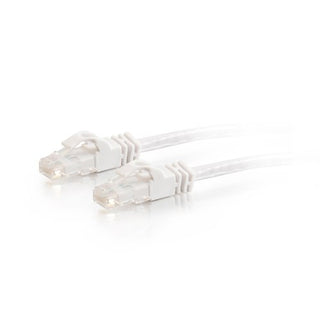
C2G 1m Cat6 Booted Unshielded (UTP) Network Patch Cable - Blue
The C2G 1m Cat6 Booted Unshielded (UTP) Network Patch Cable - Blue is engineered to deliver high-speed, reliable data transmission for modern networking environments. This cable is ideal for users who require enhanced bandwidth for transferring video, audio, and data across their network infrastructure.Featuring a molded, snagless boot design, this Cat6 patch cable ensures easy installation and provides strain relief, preventing unwanted cable snags and extending the cable's lifespan. Its vibrant blue color also allows for simple color-coding and organization within complex network setups.Payment options






Only 0 left in stock — order soon
- Fast Delivery Worldwide
- 14 Days Returns Hassle-free
- Secure Payment Encrypted
- 100% Authentic Verified brand
Try it with
Buy frequently bought together items
Product Overview
The C2G 1m Cat6 Booted Unshielded (UTP) Network Patch Cable - Blue is engineered to deliver high-speed, reliable data transmission for modern networking environments. This cable is ideal for users who require enhanced bandwidth for transferring video, audio, and data across their network infrastructure.
Featuring a molded, snagless boot design, this Cat6 patch cable ensures easy installation and provides strain relief, preventing unwanted cable snags and extending the cable's lifespan. Its vibrant blue color also allows for simple color-coding and organization within complex network setups.
Specifications
Cable Type: Cat6 Unshielded Twisted Pair (UTP)
Length: 1 meter
Connectors: RJ-45 (Male) to RJ-45 (Male)
Boot Type: Molded snagless
Color: Blue
Highlights
- Supports high bandwidth applications for faster data, video, and audio transfer
- Molded snagless boot prevents cable snags and offers strain relief during installation
- Ideal upgrade from Cat5E cables for improved network performance
- Color-coded blue for easy network organization
- Reliable RJ-45 connectors ensure secure and stable connections
How to Use
-
1
Step 1
Connect one end of the cable to your network device (such as a computer, switch, or router) using the RJ-45 connector.
-
2
Step 2
Connect the other end to the corresponding network port on another device or network outlet.
-
3
Step 3
Ensure the cable is securely plugged in and the snagless boot is properly seated to prevent accidental disconnection.
-
Wide Selection
Discover tech essentials in every category — cables, networking, power, racks and accessories.
-
Authentic Brands
Shop with confidence — 100% genuine products from trusted tech brands.
-
Quality Assured
Carefully selected products with quality and reliability in mind.
-
Fast Delivery
Get your tech essentials delivered quickly, with no extra shipping fees.


